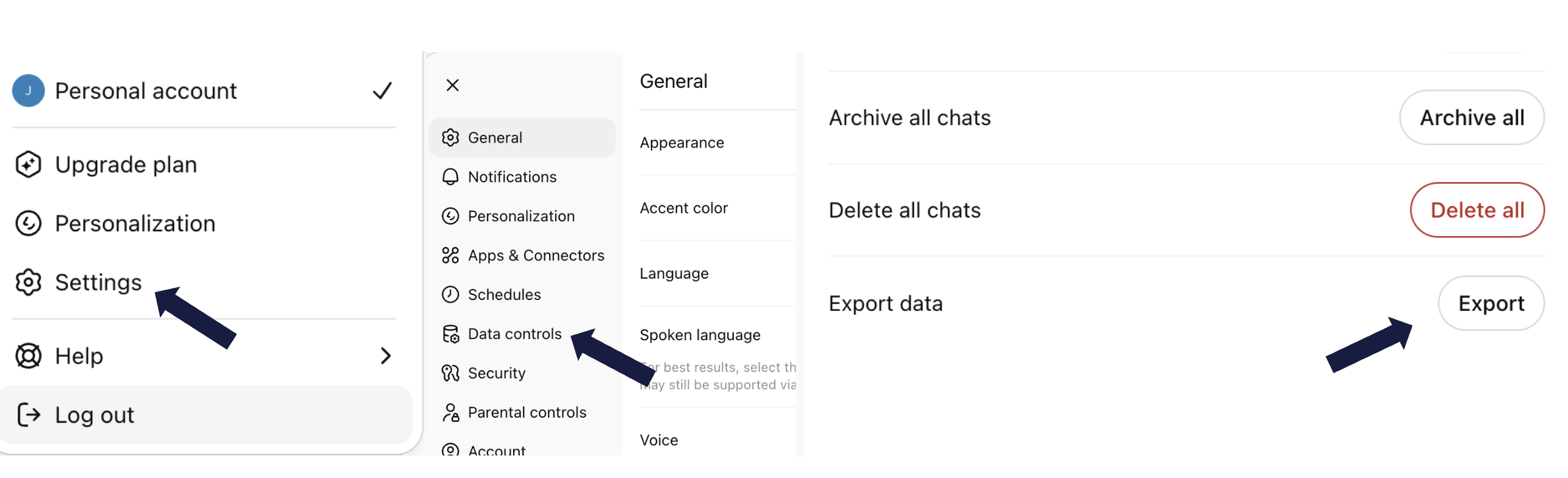
Go to ChatGPT settings and request your data export. You'll get an email with a download link within a day or so.
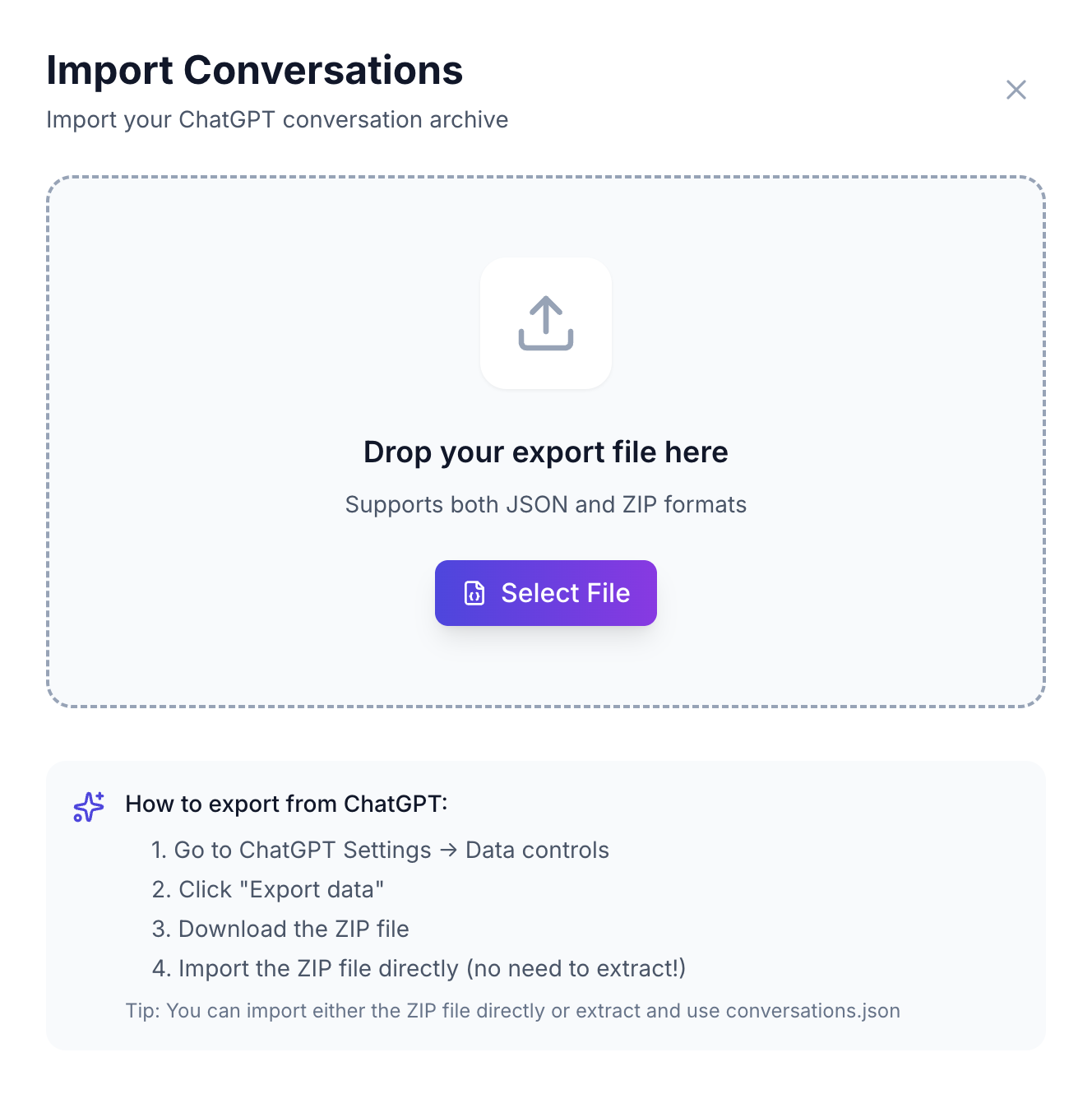
Open the app, drag in your export file. That's it - your conversations are now searchable.
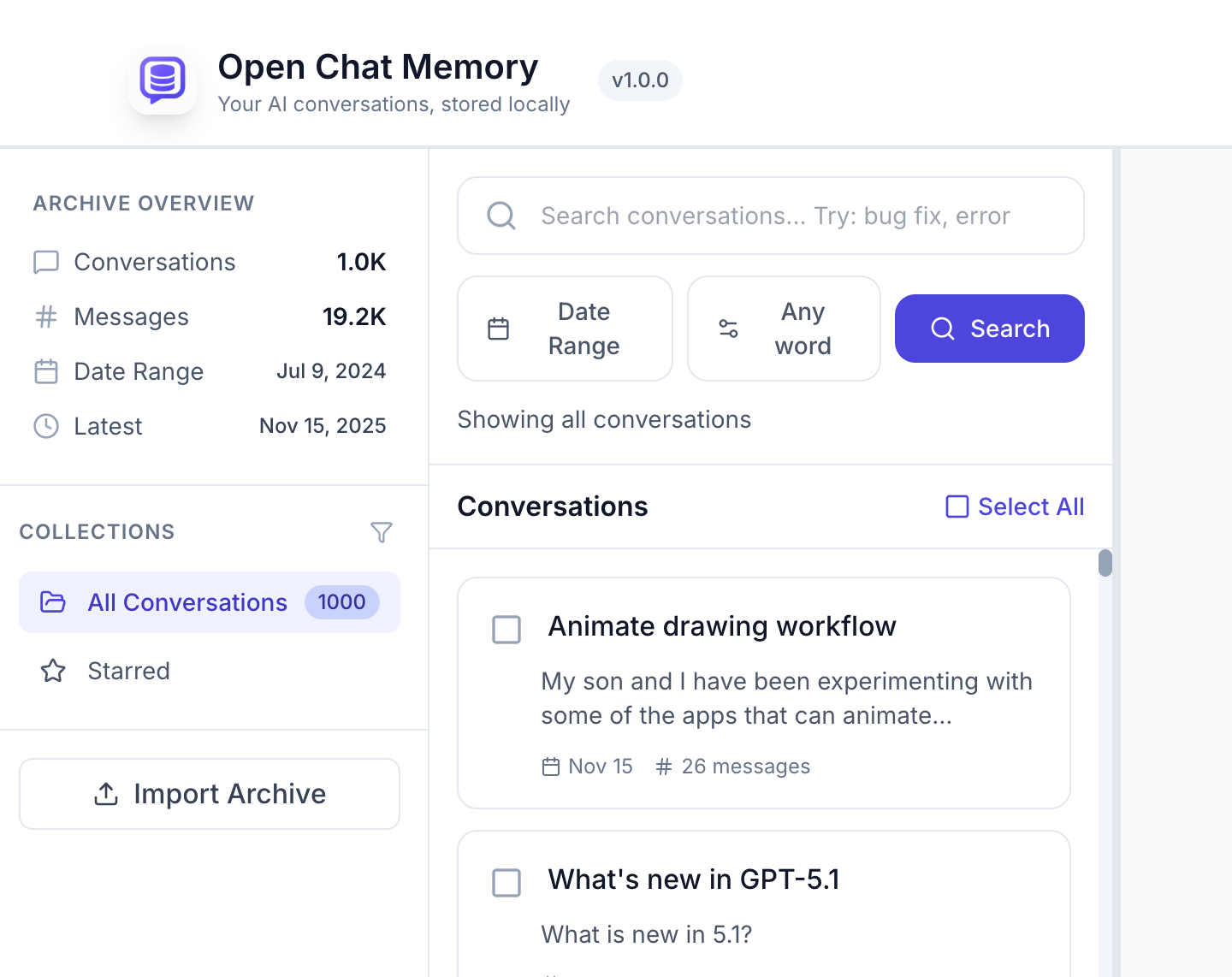
Find any conversation instantly. Export individual chats or everything at once, in formats that actually work.
Try with 20 conversations • Then £19 once, forever